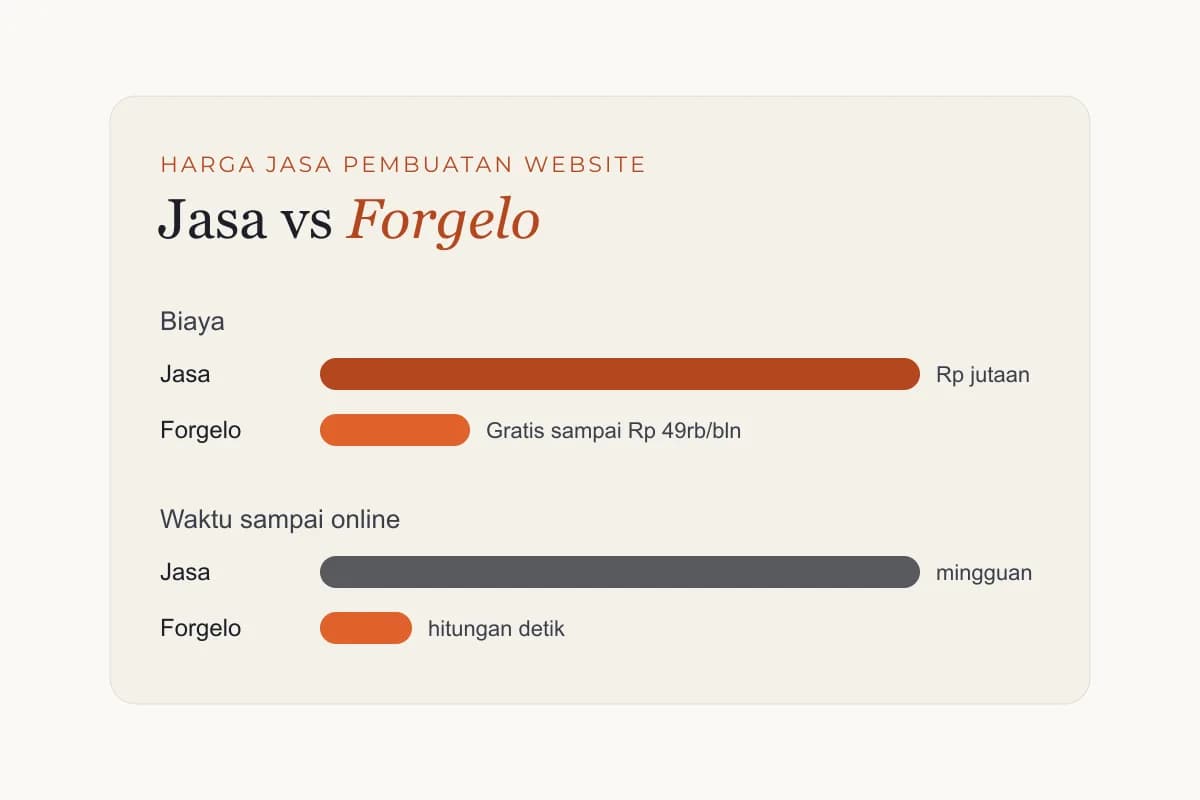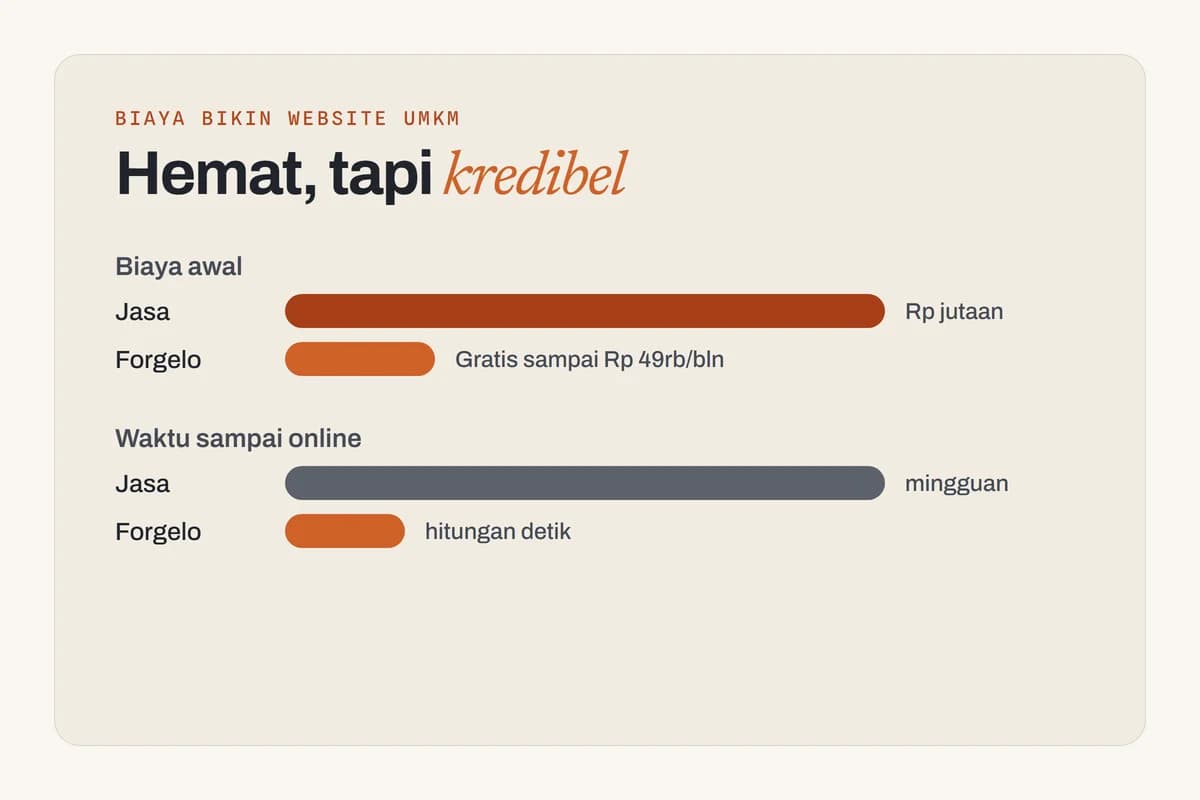
A website built with a DIY builder costs the least, often just the price of a domain plus a small monthly or annual fee, and sometimes nothing to start on a free subdomain. A freelancer usually lands in the hundreds to low thousands for a one-off build. An agency typically starts in the low thousands and goes up from there, sometimes a lot.
Those are rough ranges, and they swing hard depending on where you are and how complex your site is. A five-page brochure site in one country can cost what a single landing page costs somewhere else. So treat every number here as a ballpark, not a quote. The point is to show you what drives the price, so you can budget without getting surprised.
The three routes at a glance
Most people building a small business site choose one of three paths. Each trades money for time and control in a different way. Here's how they compare.
| Route | Typical price range | Time to launch | Your control | Ongoing cost | Best for |
|---|---|---|---|---|---|
| DIY website builder | Free to a small monthly or annual fee, plus domain | Hours to a few days | High, within the tool's limits | Subscription plus domain renewal | Owners on a budget who want to move fast |
| Freelancer | Hundreds to low thousands, one-off | One to several weeks | Medium, you brief, they build | Domain, hosting, plus paid update requests | Businesses wanting a custom touch without agency prices |
| Agency | Low thousands and up | Several weeks to months | Lower day to day, higher at the strategy level | Retainer or per-project bills, often substantial | Established companies needing strategy, scale, or a complex site |
Currencies and labor rates vary enormously by region, so read the ranges as relative, not absolute. The shape of the comparison holds up everywhere even when the exact figures don't.
What you're actually paying for
A website isn't one purchase. It's a bundle of separate costs, and the route you pick decides which ones are bundled together and which you handle yourself. Knowing the parts helps you spot where money goes and where you can save.
The domain
Your domain is the address, like yourbusiness.com. You rent it, not buy it, and you renew every year. A standard domain is usually modest, often in the range of a takeaway lunch per year. Premium or short names can cost far more, but you don't need one of those to start. This is the one cost almost nobody avoids, no matter which route they take.
Hosting
Hosting is the server that keeps your site online. With a DIY builder, hosting is baked into your subscription, so you never see a separate bill. With a freelancer or agency build, you often pay for hosting separately, either a small recurring fee or something heavier if your site needs serious capacity. For most small business sites, hosting is one of the cheaper line items unless you're running a busy store.
Design
Design is where the price gap really opens up. A builder gives you templates or an AI-generated layout, so design is part of the software cost. A freelancer charges for their hours shaping a custom look. An agency adds a design team, revision rounds, and brand work, which is why their quotes climb. If you have a strong brand and want it matched exactly, you pay for that precision. If "clean and professional" is enough, a builder covers it.
Copywriting
Words sell, and good ones take work. Many builders and freelancers leave the writing to you, which is free but costs your time. Some agencies include professional copywriting, which lifts quality and the bill together. You can always write your own to start and improve it later. Specific, honest copy beats expensive vague copy every time, regardless of who wrote it.
Ongoing maintenance
This is the cost people forget, and it's the one that adds up. Sites need updates, security patches, content changes, and the occasional fix when something breaks. A builder handles most of this for you as part of the subscription. A freelancer or agency site usually means paying per change or signing a maintenance retainer. Over a few years, upkeep can quietly outgrow the original build price.
SEO
Getting found on Google is its own project. Basic SEO, like good titles and clean structure, can be free if your tool supports it or your builder includes it. Deeper SEO, like content strategy, link building, and technical audits, is ongoing paid work whether you do it in-house or hire it out. You don't need to spend big to start ranking, but you do need to keep at it. Cost and results both compound over time.

Where a website builder fits
A builder is the cheapest, fastest route, and for a lot of small businesses it's also the most sensible. You skip the labor cost entirely because software does the heavy lifting. Hosting, the editor, security, and updates all come in one predictable fee, and many tools have a free tier so you can publish before paying anything.
The honest tradeoff is customization. You build within the tool's structure, so if you need something truly bespoke with custom code and unusual logic, a builder eventually hits a ceiling. Most small sites never reach it. A clean, fast page with your services, contact details, and a working lead form is exactly what builders do well.
This is where modern AI builders change the math. Instead of dragging boxes around or forcing your business into a template, you describe what you do and get a full draft back. With Forgelo, you type a prompt, get a ready-to-publish site, and refine any section by prompt. You can route lead forms straight to WhatsApp, so a message from your site reaches your phone. The whole point is to cut the cost and the effort at the same time. If you're weighing this against hiring someone, our comparison of an AI website builder versus a web designer lays out the real differences.
Want to see what it includes before deciding? The features page covers what's built in, and the pricing page shows where the free tier ends and paid plans begin. There's no design fee hiding in the background, which is the part that makes builders so much cheaper than the alternatives.
Where a freelancer fits
A freelancer is the middle ground. You get a human who can give you a more custom result than a template, usually for a one-off fee in the hundreds to low thousands, depending on scope and where they're based. You brief them, they build, and you end up with a site shaped around your specific needs.
The savings versus an agency come from cutting overhead. There's no account manager, no design team, no project management layer. That's also the catch. You're trusting one person's range of skills, and quality varies widely. A great freelancer is a bargain. A cheap, unreliable one can cost you more in redo work than starting over with a builder would have.
Watch the ongoing side carefully. Most freelance builds are sold as a project, not a relationship. When you want a change six months later, that's a new invoice, and you may have to chase the person down. Ask up front who handles updates and what they charge. Build cost is only half the story.
Where an agency fits
An agency is the premium route, starting in the low thousands and climbing into serious money for complex projects. You're not just buying a website. You're buying strategy, a team, brand work, copywriting, and a process. For an established business with real revenue on the line, that can be worth every bit of it.
The value is in the things a builder or solo freelancer can't easily give you: market research, conversion strategy, custom functionality, and a partner who owns the outcome. If your site is a core sales engine and downtime or a weak design costs you real customers, paying for that depth makes sense.
For a brand-new small business or a side project, though, agency prices are usually overkill. You'd be paying for capacity you don't need yet. Many businesses start lean with a builder, prove the idea works, then graduate to an agency once the revenue justifies it. There's no shame in starting cheap. There's a real cost in overspending before you've validated anything.
A realistic way to budget
Here's the honest framing. Don't ask "how much does a website cost." Ask "how much can this site afford to cost right now, given what I know about whether it'll work."
If you're testing an idea or running on a tight budget, start with a builder's free tier and a cheap domain. Your real cost is close to nothing, and you'll learn whether the site brings in inquiries. That's information you can't buy. If you already have steady demand and want a custom look, a good freelancer is a reasonable next step. And if your website is central to a serious business, an agency earns its fee.
The mistake is spending agency money on an unproven idea, or expecting a free site to do the work of a strategic one. Match the spend to the stage. You can always upgrade. You can't easily get back money you spent before you knew what you needed. If you'd rather not hire anyone at all, our walkthrough on how to build a website with AI shows the full DIY path.
Whichever way you lean, browse a few templates first to get a feel for what a finished site looks like. Seeing the range makes the budget decision a lot less abstract.
The takeaway
A website can cost almost nothing or a small fortune, and the difference is mostly labor and customization, not quality of the final page. A builder gets you online for the price of a domain and a modest fee. A freelancer adds a human touch for a one-off sum. An agency brings a full team for a premium. None of them is the right answer for everyone.
Pick based on your stage, not on which sounds most impressive. Most small businesses are well served starting with a builder, getting a real page live for next to nothing, and spending more only when the results prove it's worth it. Get something live, see if it works, then decide where your money does the most good.